Публикувано: Обновено:
In 2025, over 11 000 new vulnerabilities were registered in the WordPress ecosystem, a 42 % increase on the previous year, and 96 % of them came from plugins and themes, not from the WordPress core. The average time from a vulnerability being published to mass exploitation is 5 hours. This is not a statistic you can ignore, especially if your site generates revenue, stores personal data or represents your business online.
At the CreateWeb team, we install and configure a security plugin as a standard part of every WordPress website build. A beautiful design and perfect SEO are worthless if your site is compromised.
This article is part of our series on WordPress plugins, following the guides to SEO plugins and backup plugins. In it we compare the leading security solutions and introduce the WordPress Security Defense Stack, a 5-layer framework that organises protection from the perimeter (firewall) to incident response.
What is a security plugin and why do you need one?
A plugin (from the English “plug in”, to connect or add) is a software add-on that extends the functionality of WordPress without changing the core code. You install it with a few clicks from the WordPress dashboard and it adds a new feature, from a contact form to a firewall.
WordPress itself is an extremely secure platform: the core registered just 6 vulnerabilities in the whole of 2025. The problem lies in the ecosystem: 91 % of vulnerabilities are in plugins and 9 % in themes. The average WordPress site uses 20-30 plugins and a theme, which means 20-30 potential entry points for an attack. We cover how to assess plugins in detail in our main article on WordPress plugins. This is what professional WordPress maintenance from the CreateWeb team takes care of.
A security plugin adds layers of protection that WordPress does not offer out of the box: a Web Application Firewall (WAF) that filters malicious traffic before it reaches the site; a malware scanner that checks files for injected code; login security with two-factor authentication (2FA) and limits on login attempts; file change monitoring that alerts you to unexpected modifications; and IP blacklisting to block known malicious addresses.
WordPress Security Defense Stack: a framework for layered protection
One of the most common mistakes in WordPress security is relying on a single layer: “I have a firewall, so I am protected”. Real security is layered: if an attacker breaks through one layer, the next one stops them. This framework, which we call the WordPress Security Defense Stack, organises protection into 5 layers, from the outer perimeter to incident response.
| Layer | What it covers | Protects against |
|---|---|---|
| Level 1 – Perimeter | WAF, IP blacklisting, country blocking | Malicious traffic before it reaches the site |
| Level 2 – Access Control | 2FA, login limits, changing the login URL | Brute force, credential stuffing |
| Level 3 – Detection | Malware scanner, file change monitoring | Injected code, backdoors |
| Level 4 – Hardening | XML-RPC, REST API, file permissions | Expansion of the attack surface |
| Level 5 – Response | Virtual patching, malware removal, monitoring | Zero-day vulnerabilities, incidents |
The principle of the stack: each layer catches what the previous one missed. Perimeter (Level 1) blocks 90 % of automated traffic, but Access Control (Level 2) stops targeted brute force attacks that get through the firewall. Detection (Level 3) catches malware that has already been injected, Hardening (Level 4) reduces the attack surface, and Response (Level 5) reacts to zero-day threats for which there is no patch yet.
Applying the framework: a good security plugin covers Levels 1-3 (Wordfence, for example). Level 4 (Hardening) requires configuration outside the plugin (wp-config.php, .htaccess). Level 5 (Response) comes from premium features (virtual patching) and ongoing maintenance. Complete protection requires all 5 layers, not just an installed plugin.
Threats in 2026: what has changed

Attacks in 2026 are not those of five years ago. WordPress sites experienced a 28 % jump in attacks compared with 2025. Vulnerabilities likely to be exploited on a mass scale have increased by 113 % year on year. The weekly average is 250+ new plugin vulnerabilities, 36 a day.
Brute force attacks remain the most widespread vector, making up 37 % of all web attacks, and the average WordPress site records over 30 million login attempts a month. 85 % of breaches happen because of weak passwords. Wordfence alone blocks over 6.4 billion brute force attacks a year, from the sites it is installed on alone.
A new problem in 2026 is AI-driven attacks: bots that adapt their behaviour in real time and get around simple rate-limiting rules. In April 2026, over 30 trusted WordPress plugins were compromised through backdoor malware injected directly into legitimate updates. 46 % of vulnerabilities have no patch at the time they are published. The average cost of cleaning up a hacked WordPress site ranges from $150 to several thousand dollars, not counting losses from downtime and reputational damage.
Particularly worrying is the trend towards supply chain attacks, in which the compromise does not come from an external attacker breaking through the defences, but from the legitimate update itself. When the developer of a popular plugin is hacked or sells the project to an unscrupulous buyer, malware spreads automatically to every site through the normal update mechanism. This makes the “last update and developer reputation” criterion (from our Plugin Evaluation Checklist) even more important: not every update is safe by default.
All this means that a security plugin is no longer optional; it is an essential part of the infrastructure, on a par with hosting and the SSL certificate.
Wordfence – a detailed review
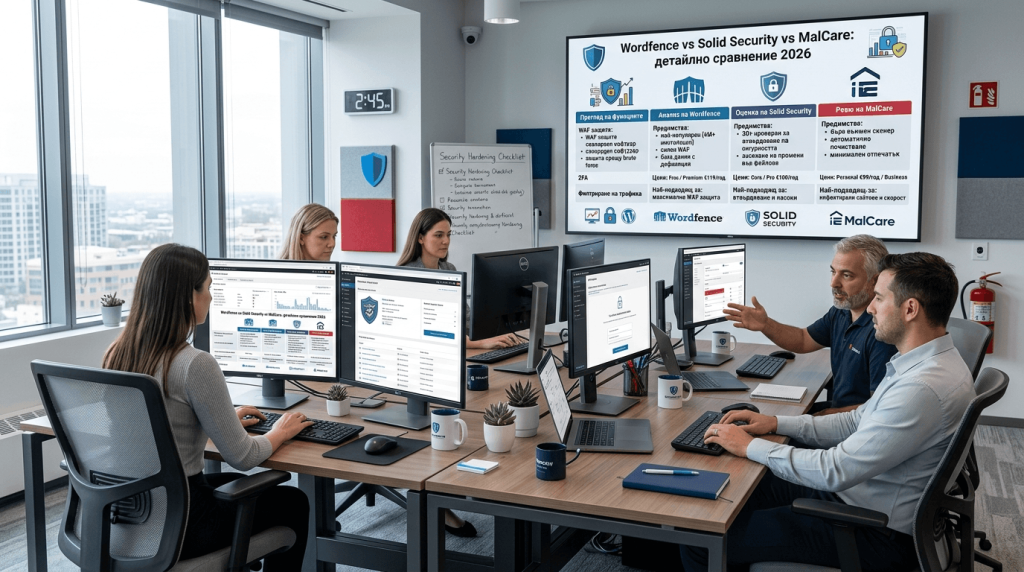
Wordfence is the most popular WordPress security plugin, with over 4 million active installations (WordPress.org). Its strength lies in its endpoint firewall approach: the firewall runs directly on your server, which means it cannot be bypassed and has access to the full context of each request, including user sessions and authentication.
The free version includes a Web Application Firewall with rules that are updated with a 30-day delay compared with Premium; a malware scanner that compares your files with the originals in the WordPress.org repository; two-factor authentication (TOTP) for all users; brute force protection with limits on login attempts; live traffic monitoring in real time; and IP blacklisting.
Wordfence Premium ($149/year per site) removes the 30-day delay on firewall rules, so you get real-time threat intelligence the moment a new vulnerability is discovered. It adds country blocking (useful if your traffic comes only from Bulgaria), premium support with a ticket system and a real-time IP blocklist. Wordfence Care ($590/year) includes hands-on support from the Wordfence team, and Wordfence Response ($950/year) guarantees a 1-hour incident response time.
The main drawback of Wordfence is server load: because the firewall and scanner run locally, they consume CPU and RAM. For sites on shared hosting with limited resources, this can be a problem. Our team optimises Wordfence settings so that scans run during low-traffic hours and do not affect Core Web Vitals.
Solid Security – a detailed review
Solid Security (formerly iThemes Security) is the second most popular choice, with a focus on hardening, i.e. strengthening the WordPress configuration. The free version offers vulnerability scanning (multiple daily scans), local brute-force protection, two-factor authentication, changing the login page URL, file change detection and a security dashboard with a clear overview of the site’s status.
Solid Security Pro (from $99/year for 1 site) adds passwordless login, magic links, trusted devices, reCAPTCHA integration, extended vulnerability patching and user activity logging. Solid Suite ($199/year for 1 site) combines Solid Security Pro with additional tools for managing multiple sites.
The honest assessment: Solid Security does not have its own application-level WAF like Wordfence does. Its firewall protection relies on .htaccess rules and server-level configuration, which is weaker than the endpoint firewall approach. The malware scanner is more basic: it detects file changes but does not compare against the original plugin code. The main advantage is simplicity: the interface is extremely easy to use and suits site owners without a technical background.
MalCare – a cloud-based alternative
MalCare approaches WordPress security from a different angle: it scans the site on its own cloud server, which means zero load on your hosting. This makes it ideal for sites on shared hosting or with limited server resources.
The free version offers malware detection only (no automatic removal). MalCare Premium ($99/year) adds one-click malware removal, a cloud-based firewall, hardening of the WordPress configuration, login protection and a white-label option for agencies. MalCare Plus ($149/year) also includes daily backups, a convenient pairing with your backup strategy.
The drawback is that the free version is considerably more limited than Wordfence Free: no firewall, no removal, detection only. If your budget is zero, Wordfence Free is by far the better choice.
Sucuri, Patchstack and other alternatives
Sucuri is a premium-oriented service with a cloud-based WAF and CDN. The free plugin offers file integrity monitoring, security activity auditing and blacklist monitoring, but the WAF and malware removal come only with a paid plan (from $229/year for Basic). Sucuri is optimal for sites that have already been compromised and need a clean-up and ongoing cloud-based protection.
Patchstack is a newer player that focuses on virtual patching: automatically applying protective firewall rules for known vulnerabilities in plugins and themes before the developer releases an official update. Given that 46 % of vulnerabilities have no patch when they are published, virtual patching is an extremely valuable feature. Patchstack’s detailed vulnerability data is an industry reference source.
All In One WP Security & Firewall is completely free and lightweight, but offers only basic protection, making it suitable for personal blogs, not business sites.
Comparison table: the 6 security solutions
| Feature | Wordfence Free | Wordfence Premium | Solid Security Free | Solid Security Pro | MalCare Premium | Sucuri Basic |
|---|---|---|---|---|---|---|
| WAF (Firewall) | ✅ (30-day delay) | ✅ (real-time) | ❌ (.htaccess) | ❌ (.htaccess) | ✅ (cloud) | ✅ (cloud + CDN) |
| Malware scanner | ✅ (local) | ✅ (real-time) | ✅ (basic) | ✅ (advanced) | ✅ (cloud) | ✅ (remote) |
| Malware removal | ❌ | ❌ (manual) | ❌ | ❌ | ✅ (1-click) | ✅ (30-hr SLA) |
| 2FA | ✅ | ✅ | ✅ | ✅ (+ passwordless) | ✅ | ❌ |
| Brute-force protection | ✅ | ✅ | ✅ | ✅ | ✅ | ✅ |
| Login URL change | ❌ | ❌ | ✅ | ✅ | ❌ | ❌ |
| File change detection | ✅ | ✅ | ✅ | ✅ | ✅ | ✅ |
| Country blocking | ❌ | ✅ | ❌ | ❌ | ❌ | ✅ |
| Virtual patching | ❌ | ✅ (partial) | ❌ | ❌ | ❌ | ✅ |
| Server load | High | High | Low | Low | Minimal | Minimal |
| Price/year | $0 | $149 | $0 | $99 | $99 | $229 |
| Active installations | 4M+ | n/a | 900k+ | n/a | 400k+ | 800k+ |
Which plugin CreateWeb sets up and why
Our team works mainly with Wordfence. The reasons are specific:
- The strongest free version on the market (the client does not pay for a licence for basic protection)
- A fully-fledged endpoint WAF that does not depend on external DNS configuration
- A malware scanner with repository verification
- Built-in 2FA with no need for an additional plugin
- Centralised management of multiple sites through Wordfence Central
Where there is a specific client requirement or server limitation, we configure MalCare (for minimal load) or Solid Security (for maximum simplicity). The key point is that the plugin is installed, configured and tested before launch, not left on default settings. This is the principle we apply to every plugin choice, as described in our main article on WordPress plugins.
What CreateWeb configures in the security plugin
Every WordPress site built by our team gets a full security configuration covering all 5 layers of the WordPress Security Defense Stack. The process includes installing and activating Wordfence with an optimised firewall mode: Extended Protection for maximum protection, or Basic for shared hosting with limited resources (Level 1 – Perimeter). We set up scan scheduling during low-traffic hours so as not to affect Core Web Vitals (Level 3 – Detection).
We enable two-factor authentication for all administrator and editor accounts (Level 2 – Access Control). We set up brute-force protection with a limit of 3-5 failed attempts before lockout and a progressively increasing lockout period. We configure email notifications for critical events: blocked IPs, detected malware, failed login attempts from unfamiliar locations (Level 5 – Response).
Outside the plugin, we apply WordPress hardening (Level 4): disabling XML-RPC (if it is not used by a mobile app), restricting REST API access, hiding the WordPress version from the source code, disabling file editing from the dashboard (DISALLOW_FILE_EDIT in wp-config.php), correct file permissions (644 for files, 755 for directories), protecting wp-config.php and .htaccess, disabling directory listing and SSL/HTTPS across the whole site.
Why is hardening a critical layer that plugins do not fully cover? Because most security plugins focus on detecting and blocking active threats, but do not change WordPress’s base configuration. XML-RPC, for example, is a legacy feature from the era of blogging by email, which today is a major vector for brute force and DDoS amplification. If your site does not use it (and 95 % of modern sites do not), disabling it eliminates an entire class of attacks. The same goes for the REST API, a powerful tool, but one that, without restrictions, allows bots to enumerate usernames for targeted brute force attacks.
File permissions are another underestimated aspect. Incorrect permissions (for example 777 on directories, which some tutorials wrongly recommend) give every process on the server the right to write to WordPress files, an open door for malware injection. The correct 644/755 permissions limit access to the necessary minimum.
Everything is documented and handed over with instructions for ongoing maintenance, which includes monthly checks of all 5 layers of the WordPress Security Defense Stack.
Security and SEO: the link most people miss
A hacked site does not simply stop working; it loses rankings in Google. Google Safe Browsing flags compromised sites with a red warning, which kills 95 % of traffic instantly. Recovering rankings after blacklisting takes weeks to months, even after a full clean-up.
Malware injections add hidden links and redirects that destroy your link profile and on-page SEO optimisation. Crypto-mining scripts slow the site down and worsen Core Web Vitals. Spam pages indexed under your domain undermine your E-E-A-T authority. The Japanese keyword hack pushes thousands of Japanese spam pages into your Google index.
A properly configured SEO plugin and keyword research are pointless if the site is compromised. A security plugin protects not only your data but your entire SEO investment, including a link-building campaign that may have taken months of work.
Checklist for minimum WordPress security
WordPress core, themes and plugins must always be on the latest version: regular updates eliminate 75 % of vulnerabilities. A security plugin with an active firewall and malware scanner is essential. Two-factor authentication for all administrators: 85 % of breaches come from weak passwords, and 2FA makes them useless. Login attempts limited to 3-5 before lockout. SSL/HTTPS on all pages. XML-RPC, dashboard file editing and directory listing disabled. Strict file permissions (644 for files, 755 for directories). All unused plugins and themes removed, as every inactive plugin is a potential vulnerability. Managed WordPress hosting with a server-level firewall. Regular checks in Google Search Console for security issues.
Free vs paid: when to invest

For most small and medium-sized sites, Wordfence Free covers 90 % of needs. Investing in Premium is justified in specific scenarios: e-commerce sites handling payment data, where real-time firewall rules are essential; high-traffic sites, where a 30-day delay on rules is an unacceptable risk; businesses in YMYL niches (health, finance, law), where a compromise means a loss of trust; and agencies managing multiple client sites.
The average cost of cleaning up a hacked site ranges from $150 to several thousand dollars, not counting losses from downtime, lost traffic and reputational damage. Wordfence Premium costs $149/year. Preventive protection is always cheaper than reactive recovery.
Common WordPress security mistakes
The most common mistake is “I installed a security plugin, so I am protected”: without proper configuration, enabled 2FA and regular updates, the plugin is just decoration.
The second is accumulating unused plugins and themes, which is where 96 % of vulnerabilities come from. If you do not use it, delete it, do not just deactivate it.
The third mistake is using “admin” as a username and simple passwords, which brute force bots try first.
The fourth is neglecting updates: “it works, so I will not touch it” is a recipe for getting hacked when a new vulnerability is published.
The fifth is installing two security plugins at the same time: the two firewalls conflict, create false positives and can lock the owner out of the site.
Future trends: AI attacks and virtual patching
AI-driven attacks in 2026 adapt their behaviour in real time, bypass CAPTCHA and rate limiting, and generate phishing content indistinguishable from legitimate content. Credential stuffing bots use leaked databases and test millions of combinations automatically.
The industry’s answer is virtual patching: automatically applying protective firewall rules the moment a vulnerability is discovered, without waiting for an official update from the developer. Patchstack and Wordfence Premium already offer this feature (Level 5 – Response in our framework). The trend is towards managed security, a combination of a plugin, a cloud firewall and AI-based monitoring.
For site owners who do not want to manage security themselves, maintenance from CreateWeb includes monitoring, updates and incident response.
Frequently asked questions
What is a plugin and what does a security plugin mean?
A plugin is an add-on that extends WordPress’s features without changing the core code. A security plugin adds a firewall, a malware scanner, login form protection, 2FA and file monitoring, features that WordPress does not offer out of the box.
What is the best WordPress security plugin in 2026?
Wordfence is the most popular, with 4M+ active installations and the strongest free version: an endpoint firewall, a malware scanner and login security. Solid Security is easier to set up. MalCare scans on a cloud server and does not put load on the site.
Wordfence free or paid – which should I choose?
Wordfence Free covers 90 % of needs: a firewall (with a 30-day delay on rules), a malware scanner, 2FA and brute-force protection. Premium ($149/year) adds real-time firewall rules, country blocking and premium support. For most small and medium-sized sites, the free version is sufficient.
Is WordPress safe without a security plugin?
The WordPress core is secure (only 6 vulnerabilities in 2025), but 96 % of vulnerabilities come from plugins and themes. Without a security plugin you have no firewall, malware scanner or brute-force protection, and the site is exposed to thousands of attacks a day.
What is the WordPress Security Defense Stack and how do you apply it?
It is a 5-layer framework for layered protection: Level 1 Perimeter (WAF, IP blacklisting), Level 2 Access Control (2FA, login limits), Level 3 Detection (malware scanner, file change monitoring), Level 4 Hardening (XML-RPC, REST API, file permissions) and Level 5 Response (virtual patching, removal, monitoring). The principle: each layer catches what the previous one missed. In practice: the plugin covers Levels 1-3, Hardening requires wp-config configuration, and Response comes from premium features and maintenance.
Can I use two security plugins?
It is not recommended. Two active security plugins with firewalls create conflicts, false positives and server load. Choose one main plugin and configure it properly.
Does CreateWeb set up a security plugin?
Yes. We install and configure a security plugin for every WordPress site: firewall, 2FA, brute-force protection, file permissions, XML-RPC deactivation and login hardening. The site is protected from launch day.
Conclusion: security is layered, not a one-off
WordPress is a secure platform, but the ecosystem of plugins and themes creates an attack surface that grows by 250+ new vulnerabilities every week. A security plugin is the first line of defence: a firewall against malicious traffic, a scanner against malware, 2FA against compromised passwords.
The WordPress Security Defense Stack in this article provides a clear structure: Perimeter (firewall), Access Control (2FA, login limits), Detection (malware scanner), Hardening (wp-config, permissions) and Response (virtual patching, monitoring). The principle: each layer catches what the previous one missed, and complete protection requires all 5 layers, not just an installed plugin.
The right configuration matters more than the choice of a particular plugin. Wordfence Free covers 90 % of most sites’ needs. But the setup needs to be done professionally: a firewall optimised for your hosting, 2FA enabled, permissions checked, hardening applied.
Our team builds WordPress sites that are protected from day one, with a configured security plugin, SSL, hardened login and documented configuration. Because a fast, beautiful, SEO-optimised site is worthless if it is not secure.
Need a WordPress site with built-in protection from day one? Get in touch with our specialists for a free consultation. We will apply the WordPress Security Defense Stack to your specific case. Also browse our portfolio for real examples.
Related in-depth resources: our main article on WordPress plugins, SEO plugins, backup plugins, WordPress as a platform, quality web hosting, technical SEO, Core Web Vitals, on-page SEO, E-E-A-T for WordPress, our main article on SEO, keyword research, link-building strategies, SEO web design, online shop, website development, website maintenance.
Every second of delay in loading a website reduces conversions by 7 %.
For more: user roles.